Architectural, AU, AU 2015, Autodesk, BIM, BIM Events, FormIt, FormIt 360, Fun, Revit

Vegas, Baby! Vegas! – AU 2015

This is a re-post of a Blog I did for work, which is posted on the IMAGINiT Building Solutions Blog here.

2016-pumpkin-spice-800

It’s that time of year again, everything is pumpkin spiced, all the stores are talking about Black Friday, and all you can think about is what Santa is going to bring you this year………you know because you have been soooo good.

Continue reading “Vegas, Baby! Vegas! – AU 2015”

Autodesk, BIM, BIM Events, Fun, Landscape, Revit, RTC, RTC EUR, RTC EUR 2015

RTC Roundup – Europe 2015 Edition – Top 11 Tweets

One of the things I love about RTC events is the community, and their love of Twitter. Even if you are’t at the event you feel like you’re there because of the play-by-play you get on Twitter. In honor of this I have put together my Top 11 Tweets and Twitter Threads from RTCEUR 2015.

Continue reading “RTC Roundup – Europe 2015 Edition – Top 11 Tweets”

Architectural, Autodesk, BIM, Fun, MEP, Revit, Revit 2016, Revit 2016 R2, Structural, Updates, Weekly Roundup Special Edition

Weekly Roundup – Special Edition – What’s New in Revit 2016 R2 (Sunrise)

Final-Logo_Weekly_Roundupcanstock20563998

See Update #4 at the end – Posted on Nov. 14th

See Update #3 at the end – posted on Nov. 3rd

See Update #2 at the end – posted on Oct. 28th

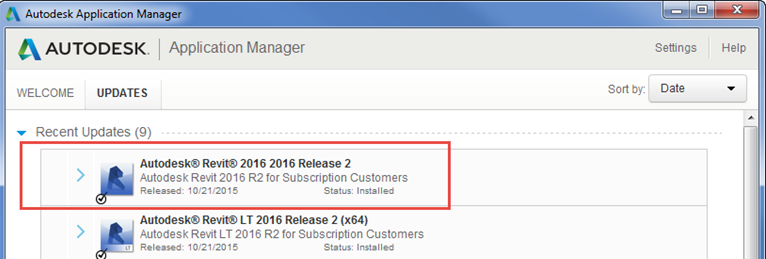
This is a Special Edition of the Weekly Roundup, focused solely on What’s New with all flavors of Revit 2016 R2 – (formerly Revit Sunrise).

r2

As more info and posts come out, I will update this post to keep all your Revit 2016 R2 info in one place!

Continue reading “Weekly Roundup – Special Edition – What’s New in Revit 2016 R2 (Sunrise)”

A360 C4R, Add-ins, Architectural, Autodesk, BIM, BIM Events, FormIt 360, Revit, Revit 2016, RTC, RTC EUR, RTC EUR 2015

Budapest here I come – RTCEUR 2015 Oct. 29th – 31st 2015

rtc2015eu_web_banner_speaker_600x300

The excitement and nerves are starting to churn away in my stomach as the time draws closer and closer to board the Big A330-300 to cross the pond to give my 2 session at the Revit Technology Conference Europe 2015, in Budapest Hungary. This will be my 4th time attending an RTC event (3rd as a speaker) but my first one outside of North America, and I’m excited to see the similarities, and differences. I was also luck enough to be able to get an extra few days added on to the trip so I can explore Budapest as this will be my first time in Hungary (anywhere in Europe in fact). But enough about me, how about some information on my two sessions.

Revit Roofs Suck! – Session 2.5 – Friday Oct. 30th, 4:15 pm – 5:30 pm – Grand ballroom & Plenary (Breakout 1)

  • This is an updated versions of the same class I gave at RTCNA 2015 this summer. Spoiler alert I’ve now found a 3rd party app that WILL allow you to create roof geometry!
  • This is one of the things that I hear most often about using Revit, especially from residential design users. Another popular quip is that Revit is only good at roofs for commercial architecture, like flat roofs. While these are common conceptions of adding roofs in Revit, are they justified?During this presentation we will examine the roof tools that come with Revit, and how they work (or don’t work). While examining the out of the box tools we will learn about some functionality that tends to get forgot about, but can make the roofing process a little easier (like align eves). However once we end our tour of the roof tools we will discover that there are some holes that will need to be filled, and depending on your workflow maybe many holes. This is where the exploration of other option and tools in Revit begins, so suitable workarounds can be found to complete the needed workflow. Sometimes these workarounds are best served when they come from a third party add-in or app for Revit, so this option will also be investigated.At the end of the presentation I hope the takeaway is not how Revit roofs work, but how to make roofs work in Revit.
  • Key Learning Outcomes:
    1. Better understand the roof tools that are available in Revit out of the box
    2. Learn some workarounds for common roof issue not addressed with native Revit roof tools
    3. How to simplify the creation of some popular residential roofs
  • Level: All levels

So What’s this A360 Collaboration for Revit I’ve heard so much about? – Session 3.4 – Saturday Oct. 31st,  2:30 pm – 3:45 pm – Grand ballroom & Plenary (Breakout 1)

  • This will be a beginner’s guide to A360 Collaboration for Revit. The intent of this session is to give a high level overview of what this program can do, and how it can do it.This session will cover what exactly A360 Collaboration for Revit is, and how it works as a cloud based program. The session will also look at the benefits and the drawbacks of working with the program. We will also spend some time on a comparison between Revit, Revit Server, and A360 Collaboration for Revit. What do they all have in common, and what separates them all. We will also looking into some basic workflows and best practices for working with A360 Collaboration for Revit.
  • Key Learning Outcomes:
    1. What is A360 Collaboration for Revit
    2. How to use A360 Collaboration for Revit
    3. How does Revit and A360 Collaboration for Revit Compare
  • Level: All levels

I also have it on good authority that there is still time (and spots) if you want to register for RTCEUR to see either of my sessions, or any of the many other awesome sessions!

Hope to see you there!

Final-Logo_BIMsider_Text

Twitter @theBIMsider
Facebook: theBIMsider


Add-ins, Autodesk, BIM, BIM Events, Fun, Revit, Revit Roofs, RTC, RTC NA 2015

RTC Roundup – North America 2015 Edition – The BIMsiders Classes

For those of you that attended RTCNA 2015 in DC and missed my classes, or couldn’t make it to RTCNA 2015 this year at all, below are the outlines of my classes as well as the handouts.

Continue reading “RTC Roundup – North America 2015 Edition – The BIMsiders Classes”

Autodesk, BIM, BIM Events, Fun, Revit, RTC, RTC NA 2015

Weekly Roundup – Special Edition – RTC North America 2015

Final-Logo_Weekly_Roundupcanstock20563998

2015-07-31_9-30-09

Another RTC North America has come and gone, and as per usual it was a blur!

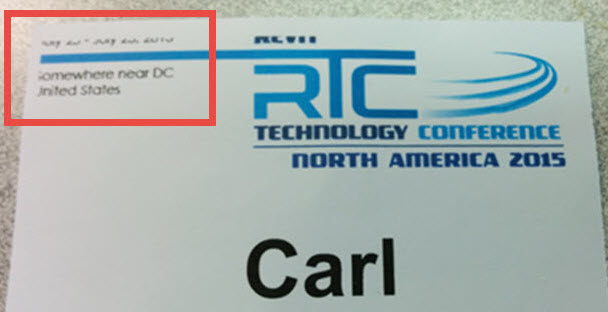
This years event was “Somewhere near DC” as the name tags said, which was actually Arlington, Virginia just outside of Washington DC.

IMG_20150731_091447

Continue reading “Weekly Roundup – Special Edition – RTC North America 2015”

Add-ins, Autodesk, BIM, BIM Events, Fun, Revit, Revit Roofs, RTC, RTC NA 2015

RTC Roundup – North America 2015 Edition – Top 10 Tweets

One of the things I love about RTC events is the community, and their love of Twitter. Even if you are’t at the event you feel like you’re there because of the play-by-play you get on Twitter. In honor of this I have put together my Top 10 Tweets and Twitter Threads from RTCNA 2015.

Continue reading “RTC Roundup – North America 2015 Edition – Top 10 Tweets”

Add-ins, Autodesk, BIM, Revit, Revit 2016, Subscription, Updates

Batch Print, eTransmit, Model Review, & BD Link now available – Still no Workshaing Monitor

It has been a long time coming, but today Autodesk released 4 more of their subscription add-ins for Revit 2016. these where released via the Autodesk Exchange Apps Store. In the pasted you could find them as part of your Autodesk Subscription Site (now your Autodesk Account).

Here are the direct links to the Add-ins on the Exchange Apps site:

There is still one missing:

  • Worksharing Monitor

Hopefully the Worksharing Monitor will be out soon.

Update Aug. 19th:

Worksharing Monitor 2016 now available

Final-Logo_BIMsider_Text


Twitter @theBIMsider
Facebook: theBIMsider
Add-ins, Autodesk, BIM, Revit, Revit 2016, Subscription, Updates

Where are my Revit 2016 Subscription Add-ins?

So like many of you out there in Internet land I’ve been looking for, and waiting for some of the 2016 versions of the Revit Subscription Add-ins I’ve come accustom to getting every year when the new version comes out.

Continue reading “Where are my Revit 2016 Subscription Add-ins?”

ACAD, Autodesk

Let’s “Start” with one less tab in ACAD 2016

This is a re-post of a Blog I did for work, which is posted on the IMAGINiT Building Solutions Blog here.

Here is a quick tip for those of you out there in ACAD land that like to have as few tabs open as possible when working in ACAD.

In the new release of ACAD 2016 the “Start” page is now a tab that is always on by default.

Continue reading “Let’s “Start” with one less tab in ACAD 2016”