
The week that was in the world of BIM and other Techie fun stuff, for the week of Feb. 22nd – 28th, 2015.
I will start this weeks Roundup with a post from the BIM Jedi that’s about AR and VR.

BIM Crusader Turned AECO Tech Explorer | Speaker | AI Assisted Coder | Autodesk Expert Elite | 25+ years in AECO | Technical Success Manager at Newforma. Opinions expressed are my own unless I borrowed them. Cover photo by: Devin Henry
The week that was in the world of BIM and other Techie fun stuff, for the week of Feb. 22nd – 28th, 2015.
I will start this weeks Roundup with a post from the BIM Jedi that’s about AR and VR.
The week that was in the world of BIM and other Techie fun stuff, for the week of Feb. 15th – 21st, 2015.
I’m going to start this week’s Roundup off a little different with a YouTube Video of all the new features of the latest release of FormIt for Android. This was posted on the Autodesk Building Solutions Channel.
The week that was in the world of BIM and other Techie fun stuff, for the week of Feb. 8th – 14th, 2015.
I will start this weeks Roundup with a post form the IMAGINiT Building Solutions Blog about secret worksets. Spoiler alert this post is about Revit worksets and visualization.
The week that was in the world of BIM and other Techie fun stuff, for the week of Feb. 1st – 7th, 2015.
Why don’t we start this weeks post off with some Dynamo! Marcello over at Simply Complex tries to answer this simple question.
The week that was in the world of BIM and other Techie fun stuff, for the week of Jan. 25th – 31st, 2015.
This first post if from a new to me blog, but one I was glad to find. There just is not enough BIM blogs about landscape architecture. Check out the these latest posts from landscape architecture + BIM
Site Analysis with Detail Components
The week that was in the world of BIM and other Techie fun stuff, for the week of Jan. 18th – 24th, 2015.
I will start this week off with 2 posts from What Revit Wants. One about Revit DB Link and one a re-post from Simply Complex with an online Dynamo exercise for all to try.
Solution for Revit DB Link and Microsoft Access compatibility for 64 bit vs 32 bit systems
Dynamo For Dummies screencast….interested? (Simply Complex direct link)
The week that was in the world of BIM and other Techie fun stuff, for the week of Jan. 11th – 17th, 2015.
I’m going to start this weeks post off by catching up on a couple of good blogs from IMAGINiT Building Solutions Blog that I missed over the Holiday Season.
Cricket Adaptive Family for Chimney and Roof – Part 1
The week that was in the world of BIM and other Techie fun stuff, for the week of Jan. 4th – 10th, 2015.
After a 2 weeks off for the Holiday Season the Weekly Roundup returns for the 2015 with another great week of BIM posts and some cool tech stuff from CES 2015.
I’m going to start 2015 off with a couple of posts from What Revit Wants about Navisworks.
Navisworks Export – Collapse on Convert export setting for added geometry separation

The week that was in the world of BIM and other Techie fun stuff, for the week of Dec. 14th – 20th.
I will start this weeks roundup with a post that some may agree with and some may not, its all about the way you upgrade your Revit Models. This post from IMAGINiT Support Blog favours the slower and more systematic approach of incremental upgrading (year by year no skipping). While the incremental way might be slower I believe that it truly is a way that will end up with less errors in the long run.
Revit: Proper Process for Upgrading Your Models
Here is a need workaround from Steve over at Revit OpEd about getting dimensions to work as you want them when dealing with circles.
Another handy post from IMAGINiT Support Blog is this handy list of all the Revit Updates from 2012 – 2015, very helpful!
All Updates for Revit (2012 – 2015)
Here are a couple of posts from the FormIt Blog that I missed last week, but still worth a post this week. The first one is a recap of all things FormIt from AU2014.
FormIt at Autodesk University 2014 – a recap
The second is much more fun as it involves the Christmas classic “National Lampoons Christmas Vacation” and how to design a pool house in FormIt.
#FormItFriday for the Griswolds
I must admit I had no idea this technology was so close to being real (but when you think about it it makes sense) an iPhone that can do laser scanning……with some help from Trimble Tango? Find out more at the ThinkBIM post below.
It takes two (or three) to Tango. Apple Patent Reveals a Scanning iPhone
If you have ever made a Revit family or 75 while working with Revit then you might have struggled with the proper orientation for the family (I know I have). This post from Revit OpEd tries to lend a helping hand for dealing with just that issue.
So to switch gears this is a cool post from The Construction App Guru about a 3D/360 Photo tool for Job sites (or really wherever). below is the link to the Blog post, but you also need to click on the sample project link below that to really see what this technology from matterport can do.
Sample Project (you really should click this link!)
This next post from What Revit Wants is about editing shared parameters for Revit…….in the cloud of all places!
Edit Revit Shared Parameters in the Cloud using Google Sheets Add-On
This next post is one of my favourite posts from Revit OpEd all year! (which is saying something because there are a lot of posts per year over at Revit OpEd). While the content is helpful, and somethign I had not yet discovered in Revit 2015 R2, the story within which Steve weaves the tale about the new features is price less……..you really must read it…….60’s the era of “Free Modeling”
Revit 2015 R2 – Perspective View Changes
Now its time for free stuff. Jeff from The Revit Kid has posted a free ebook for all to download on the design process in BIM. What are you waiting for go download it.
Free eBook! – Design:BIM – A Guide to Utilizing Design in the BIM Process
Its been far to long since I’ve post a link to a Dynamo post, lets fix that right now with a post from Revit beyond BIM.
Dynamo for Revit – Review design with Room Access Requirements
Autodesk put out any update for A360 over the weekend, here is a post from the A360 Blog about what was in the update. I have also included a link to another post form A360 blog about managing your data with the new A360.
Check out what’s New in the latest A360 Update
How to manage your Data in A360
I post a lot of great blogs from What Revit Wants, this next one is a little different as it’s a reader sending a tip to Luke at What Revit Wants about Radial Arrays in Revit.
How to make a Radial Array with a value of 2 in Revit
I have not posted about this since 2015 Revit R2 came out but I have used it many times. Revit OpEd posts about the improved ability to see things that are constrained.
Revit 2015 R2 – Reveal Constrains
Here is another great wrap up of AU2014 by AECBytes
Have you been having issues with crashes since updating to Revit 2015 R2 or Updated 5? If so check out this post from What Revit Wants about a work around that might work for you.
Revit 2015 R2 and Update 5 Crashes
One more post from Steve over at Revit OpEd about creating elevation views and finish floors.
Creating Elevation Views and Finish Floors
I have 2 posts I would like to use to wrap up this weeks blog. The first is about a retirement in the BIM world, sending an old friend out to pasture if you will. The second is about the resurgence of the LP, and how that just might kill it as the talent to create LP’s is vanishing.
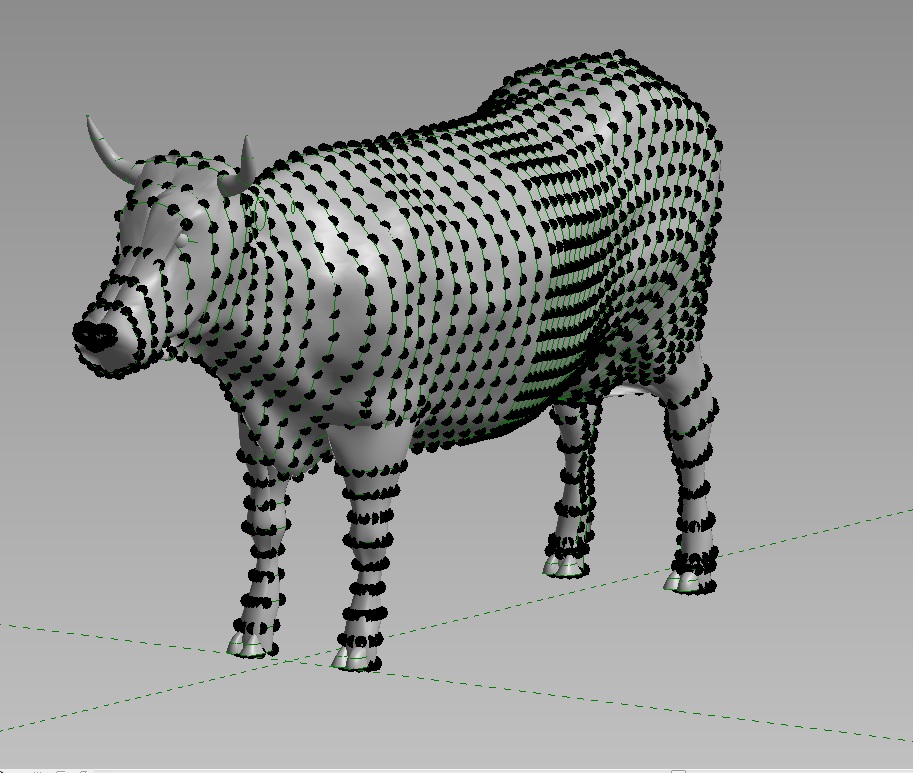
A Moment of silence – The Revit Cow is going into Retirement (Simply Complex)
Vinyl Storage stages a comeback (ZDNet)

The BIMsider
Twitter @theBIMsider
Facebook: theBIMsider
The week(s) that was in the world of BIM and other Techie fun stuff, for the week of Nov. 30th – Dec. 13th.
I missed the roundup last week as I was in Las Vegas for AU 2014, and well there was a lot of shinny things so I just didn’t get around to it. This week I’m getting back into the routine and we have a jam packed Roundup with 2 weeks worth of great BIM content for you all.
I will start off this week(s) with a post by the Construction App Guru about the SafeSite app, if you are the safety person for your company you should check this out.
Are you having an issue upgrading your project, then central file can’t be reached? Check out this post from What Revit Wants, it just might be able to help you out.
Upgrade Revit Files using eTransmit
It was the day before my AU session and I saw this blog post, which was very timley as I was talking about some of the 123D apps in my session. Basically they have ended support for all 123D web apps, but don’t worry you can still use mobile and desktop versions. Find out more in this post from Autodesk 123D blog
This next post is from Revit OpEd, and it covers yes/no parameters in formulas in Revit.
Setting Yes No Parameters with Formulas
Here is another post by Steve form Revit OpEd, this time he is shedding some light on Sketch Staris in Revit.
By Stetch Stairs and using Stair Path and Tread Number Annotation Tools
This post is right in my wheel house, The Construction App Guru talks about what options are out there for BIM on Mobile Devices.
BIM Options for Mobile Devices
This next post could be big news for Revit users, in fact in the article they call it a game changer……..time will tell what people think about everything in the cloud all the time, especially when that everything is your projects Revit Central Files. Find out more about Autodesk A360 Collaboration for Revit in this post by In The Fold.
Autodesk Amps Up BIM with Expanded Cloud-based Collaboration Services
Autodesk A360 Collaboration for Revit overview
Like most weeks What Revit Wants have been busy pumping out great posts about all thing BIM, but this last 2 weeks have been crazy, below is a list of the highlights – click links for all the details.
The Difference between A360 Drive and A360 (Project or team)
Revit to FBX to Inventor Publisher to 3D PDF
The State of BIM in South Australia in 2014
Struggling with Lights in Navisworks?
Now for something completely different…..well sorta. This next post is from AECbytes Blog and its about Bentley’s 2014 in Infrastructure
Bentley’s Year in Infrastructure 2014 Conference
There was a lot of buzz at AU this year about the “New” A360 and what it brings to the table (don’t call it Autodesk 360 any more please). The folks at the A360 Blog take a crack at telling everyone what A360 is now.
There was also an update to Revit 2015 released last week, R5 you can find out more in posts from What Revit Wants and Revit OpEd
Revit 2015 Update Release 5 (What Revit Wants)
Revit 2015 Release Update 5 ad Terminology (Revit OpEd)
Here is another post on release 5 from the IMAGINiT Support Blog
Another big thing that was talked about at AU 2014 was the new subscription option or process that is coming down the pipes. Here are 2 posts about it from It’s Alive in the Lab and Revit OpEd
What does “moving away from perpetual licenses” mean? (Its Alive in the Labs)
Autodesk Subscription Concepts Changing (Revit OpEd)
and just for good measure another post about this from Studiodaily
Autodesk Plans to Go Subscription-Only Over Next One to Two Years
As you can already see it was a neck and next race these last 2 weeks to see who could put out th emost post about BIM between What Revit Wants and Revit OpEd. Well below are the rest of Revit OpEd’s posts.
Our Revit Username and Signing into A360
Changing Column Types and Copy Monitor
Revit 2015 R2 and Shaft Openings
New Canadian CISC Standard 9.2 Structural Shapes Available
This is a nice little post from IMAGINiT BSD about FormIT and Levels.
If you are using Clarity and find there is a issue with PDF fonts from your workstation are not matching what comes form the clarity task server than this post form IMAGINiT Support Blog should get you fixed up.
Clarity PDF Task – Fonts Not Printing Properly
Sometimes begin to quick to upgrade or update your software isn’t a good thing. Learn more about this as it regards to Revit 2015 R2 in this post over at the BIM Blog.
Beware upgrading to Revit 2015 R2…….
There are a lot of good Revit blogs out there, and while I try to visits as many as I can to fill this weekly update with all the Revit and BIM goodness I can I don’t always make it. I was just about to publish this weeks post when I took one last look and saw 3 great posts by RevitCat.
Best Tall Building in the World Documented on Revit
View Filter Sort Order in Revit
Revit Stair Treads – Minimum Widths
I will end this weeks Post with this cool time lapse video of a LEGO Christmas Tree Build
The BIMsider
Twitter @theBIMsider
Facebook: theBIMsider
Because they don't teach you this in school...
Visual Programming Enthusiasts
The intersection of interior design, technology and the future of work
3d Modeling Software's Learning
Having fun with Programming and BIM
Nat MacDonald
Everything Design Technology
Things mostly related on mathematics (especially geometry, linear algebra, trigonometry and calculus), CAD and BIM programmatic techniques.
Your road map on the BIM journey
Discovering the Autodesk BIM solutions
A collection of observations and opinions from myself and my friends around the world in relation to the Architecture, BIM, Sustainability, Technology & Learning in the AEC industry. There's no space here for 'old skool' thinking.
Infrastructure BIM & GIS
Feedback on AECbytes Articles
Just another WordPress.com site
@datashapes_io
An Architect's Approach to BIM & Learning Revit®
One man's dream to apply BIM and IOT to his smarthome
#BIMSLAP
Design, technology, and exploration in a digital age.
Jeremy Luebker
BIM/Design/Technology/Process/Help!
All about Dynamo Nodes
A meeting place of worldwide BIM managers and BIM professionals to gather information regarding BIM, BIM software, BIM classes, BIM conference, BIM standards, BIM definition, BIM consulting.
pre construction & 3d bim solutions
Data-Driven Design, Computational Design, Consulting Services
A blog on BIM for Real Estate Owners, Developpers and Facility Managers
A collection of thoughts on BIM for Structural Engineers
Do Better Things
Providing the CAD knowledge you need to succeed.
Autodesk Structural Applications
All Things BIM
AG ARQUITECTURA S.A.
Autodesk Software, Training, CAD & Building Information Modeling (BIM) Services
I talk about change in the AEC industry because it's the only thing that matters
Computer Aided Design
Design software discussion for the AEC industry
Thoughts and ideas on supporting users in a design technology world
Obsolescence is the new extinction
Building Information Modeling Online
BIM in landscape architecture [with a focus on Revit]
Geelong and Beyond
a team equipped with specialized parametric tools
Can't we all just get along?
 The BIMsider