

I have been doing a lot of work with JSON lately, which got me thinking. There has to be a better way to view all this data.
Technically, JSON is human-readable. But once you are dealing with hundreds or thousands of data points from an API response, it quickly stops feeling very human-friendly. Large responses turn into walls of nested objects and arrays, and even with formatting or collapsible trees it can still be difficult to quickly find the pieces of information you actually care about.
JSON is technically human-readable.
Until it is 5,000 lines long.
The Problem
I ran into this regularly while working with APIs in Newforma Konekt. We already had an internal tool that allowed us to export data for backup or archiving purposes, so getting the data itself was not the issue.
The challenge was reviewing it.
Once the data was exported as JSON, inspecting it could be tedious, especially for people who are not particularly technical and just want to quickly understand what is in the dataset. Even for those used to working with JSON, navigating large payloads often means a lot of scrolling, searching, and mentally filtering through structures that may not be relevant to the task at hand.
What I really wanted was something that could:
- Focus on specific fields within a JSON structure
- Make large responses easier to scan and understand
- Allow quick customization depending on the dataset or API
- Basically let me see what I want to see and nothing else
Building a Tool for the Job
I knew what I wanted. In fact I had built something similar before to view BCF files when an old open source favorite was no longer being maintained.
Shameless plug here. If you need an open source BCF analysis tool that can analyze, visualize, and export BCF data with enterprise-grade tools, check out BCFSleuth. It supports BCF 2.0, 2.1, and 3.0, includes visual analytics, and keeps your data private through client-side processing.
Just the Fields takes that same philosophy and applies it to JSON. The goal is simple. Make complex data easier to explore by focusing on the parts that matter most.
Back to the problem at hand. I started building something similar for JSON using a bit of vibe coding. I thought this would be easier because JSON does not require the visual or analytical aspects that BCF does. Tools like Power BI are great for analytics anyway, and JSON works very well there, but that is another story.
What I did not realize right away was just how many different ways people might want to view JSON depending on their needs.
With a bit of experimentation and some assistance from my AI coding bestie, I put together a lightweight JSON viewer designed around a simple idea. Show only the fields you actually care about.
The project eventually became Just the Fields.

The idea is straightforward. Instead of navigating the entire JSON tree, you load your JSON and let Just the Fields show you your data, but only the parts you want to see. The viewer presents those fields in a much cleaner and more focused way.
This makes it easier to:
- Inspect large API responses
- Compare values across objects
- Quickly verify that the data you expect is actually present
How It Works
Just the Fields is designed to stay simple. The workflow is only a few steps.
1) Drop in JSON
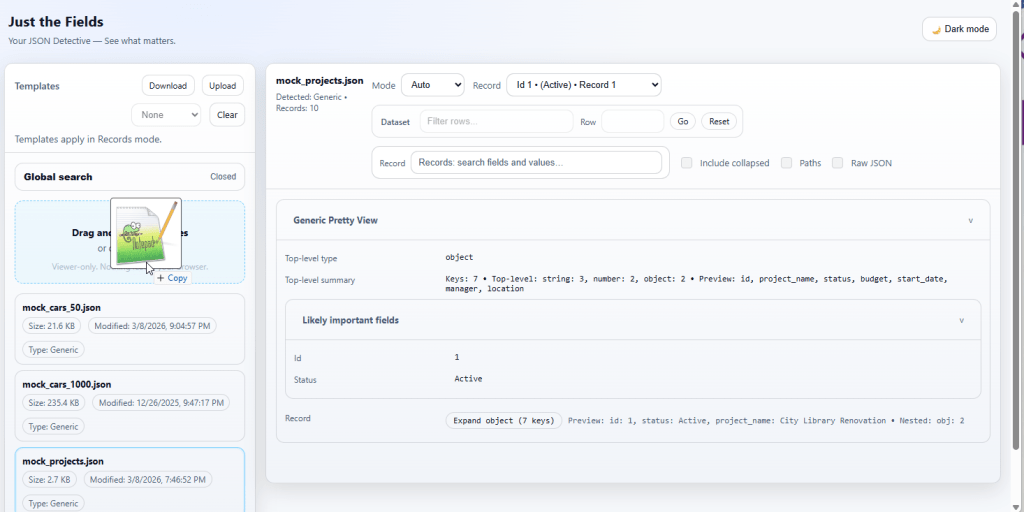
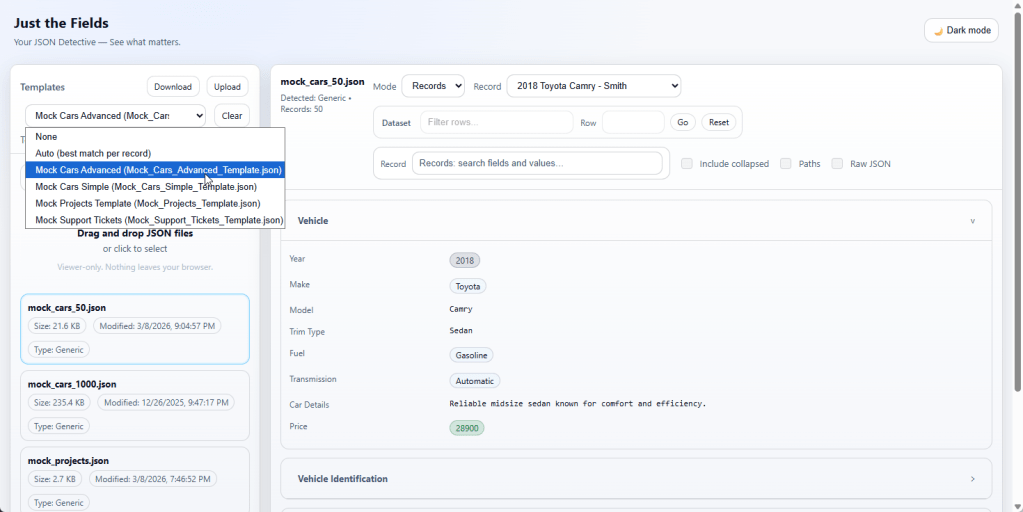
Load a JSON file by dragging and dropping it into the viewer or selecting one from your device.
2) Pick a view
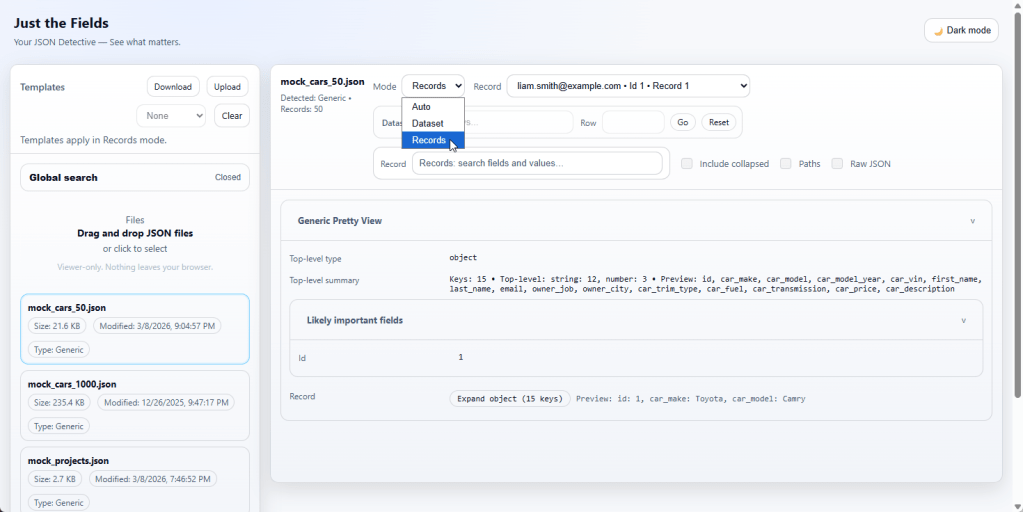
Choose how you want to explore the data. Records mode works well for structured objects such as issues or RFIs, while Dataset mode is useful for large arrays.
3) Apply a template (optional)
Templates let you define which fields should appear and how they are grouped. You can download a starter template, edit the field paths and labels, and upload it back into the viewer.
4) Search and inspect
Use global search to quickly locate where something exists in the JSON. Then inspect it in context using the viewer.
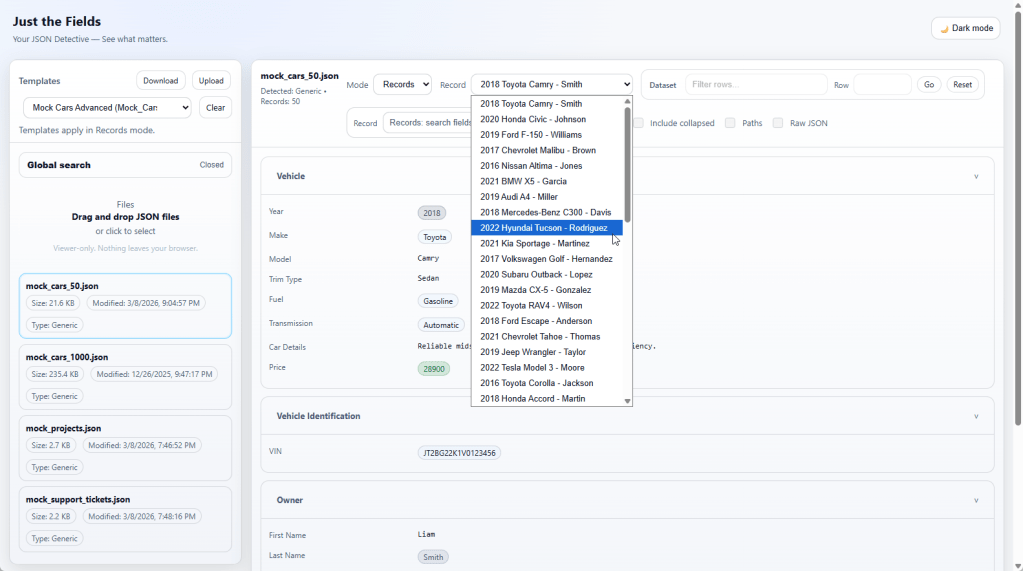
The entire process runs in your browser, so there is no backend service or data upload required.
Configurable Templates
One of the key features is the ability to use configurable templates.
Templates allow you to define which fields should be extracted or displayed from a JSON dataset. This makes it easy to adapt the viewer to different APIs or use cases without changing the underlying tool.
For example, if you are working with issue data, project metadata, or document records, you can configure a template that pulls out only the identifiers, names, timestamps, or statuses that matter for that workflow.
This approach keeps the viewer flexible while still being simple to use.
What Just the Fields Is
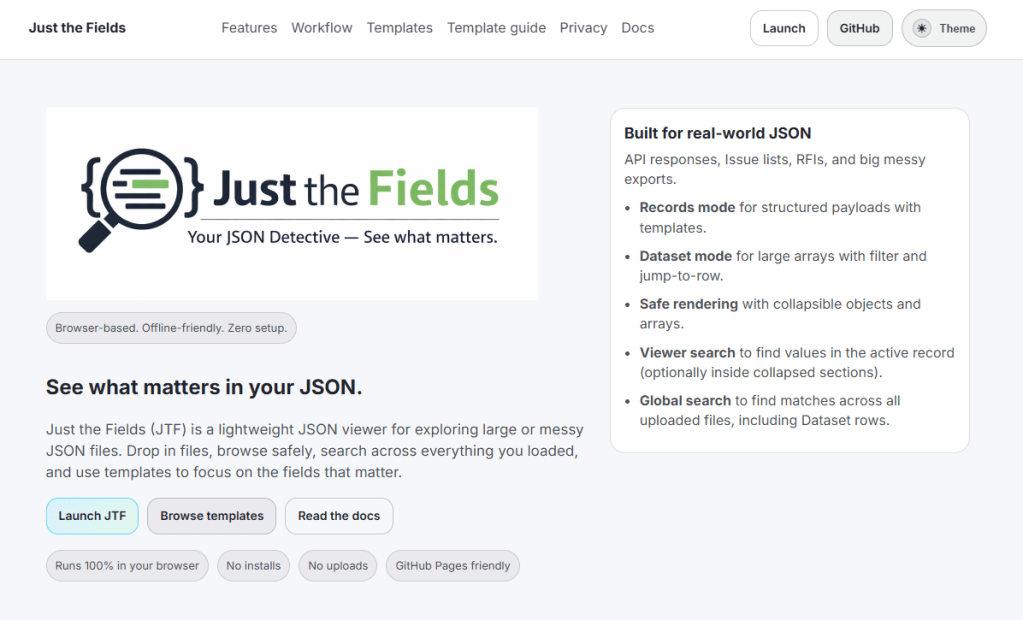
Right now the project is intentionally simple and lightweight.
- Open source
- Available on GitHub
- Customizable through templates
- Usable directly from a landing page with no installation required
The goal is not to replace full development tools. Instead it provides a quick and flexible way to explore large JSON datasets without writing scripts or digging through raw responses.
Design Philosophy
Just the Fields is intentionally simple.
The goal was not to build another heavy developer tool. Instead the focus was on a few principles:
- Keep it lightweight and easy to run
- Keep everything client side so data stays local
- Make it easy to customize views without writing code
- Focus on readability rather than complex features
Sometimes the most useful tools are the ones that do one thing well. In theory this was vibe coded after all 😉
Looking for Feedback
I originally built this for my own workflow, but it got me wondering whether others might find it useful as well, particularly people working with APIs, integrations, or large datasets in the AECO industry.
If you regularly work with JSON, I would be curious to know:
- How do you currently inspect large JSON responses?
- What features would make a JSON viewer more useful for your workflow?
If this sounds useful, feel free to try it out.

You can run Just the Fields directly from the landing page or explore the source on GitHub. If you work with large JSON datasets and have ideas for features or improvements, I would genuinely love to hear them.
Open source projects get better through real use, feedback, and small contributions. If this tool helps you inspect JSON a little faster or makes large datasets easier to understand, then it is already doing its job.
All thoughts here are mine. Spelling and grammar were investigated by my AI copy sleuth ChatGPT. Case closed.. 🤖🛅

All the Links: bio.link/thebimsider

 The BIMsider
1 thought on “Just the Fields: A Simpler Way to Explore Large (and Messy) JSON Data”