

For about a month leading up to #AU2025, I’ve been “Vide Coding” with my coding “bestie” Claude (from Anthropic) on our very first custom Dynamo package. DynaFetch brings modern, reliable REST API integration to Dynamo 3.0, letting you connect to external data sources with community-driven, open-source functionality.
This project started because I’ve long relied on the excellent custom package DynaWeb by Radu Gidei. Unfortunately, it isn’t compatible with Dynamo 3.0+, and staying on older versions is becoming less and less practical.
What is DynaFetch?
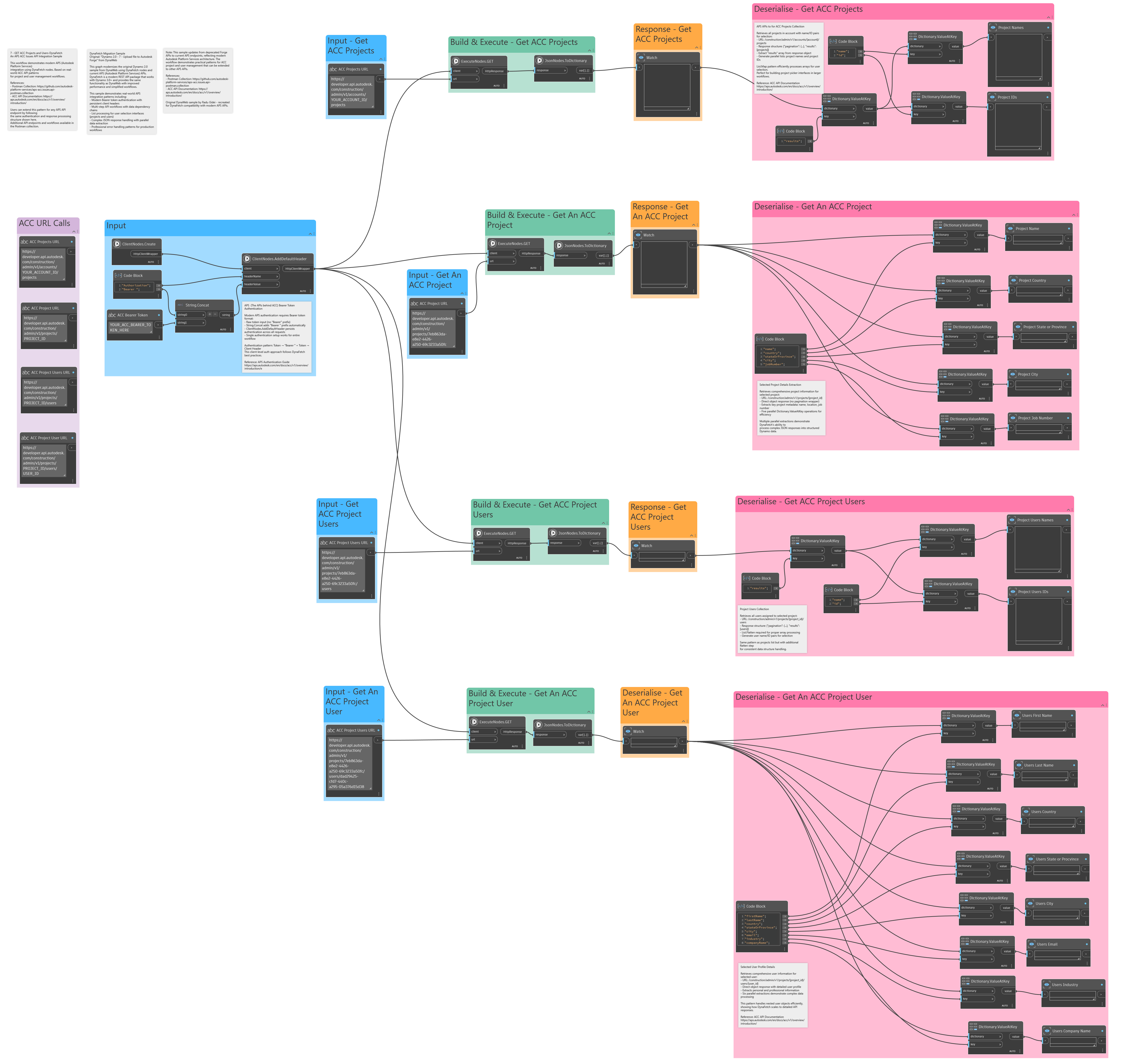
DynaFetch brings modern, reliable REST API integration to Dynamo 3.0, simplifying data access and manipulation with a clean .NET 8 codebase and 230+ community-driven, open-source nodes that handle:
- HTTP requests (GET, POST, PUT, DELETE, PATCH) with full control over headers, queries, payloads, and authentication
- JSON parsing that converts messy nested structures into Dynamo-friendly lists and dictionaries
- Seamless connections to REST APIs for project tools, databases, and yes, even cat-picture endpoints
- Built-in helpers for pagination, batching, and retries so real-world APIs don’t trip you up
- Data shaping tools to convert API responses into Dynamo-friendly lists and dictionaries
- Clear error handling so you spend less time staring at red blobs
Think of it as Dynamo’s missing data utility belt — yup, Batman would approve.
Why Build It with AI?
I wanted to see how far AI could go in helping me build something useful for the Dynamo community (plus my C# skills are… in puppy mode, but AI helped me fetch the right code). AI helped with:
- Generating node scaffolds so I could focus on logic.
- Debugging faster. It still made stuff up sometimes, but hey, we’ve all had flaky coworkers.
- Writing REST logic. APIs have been around forever, and with all the documentation out there, AI made coding against them a breeze.
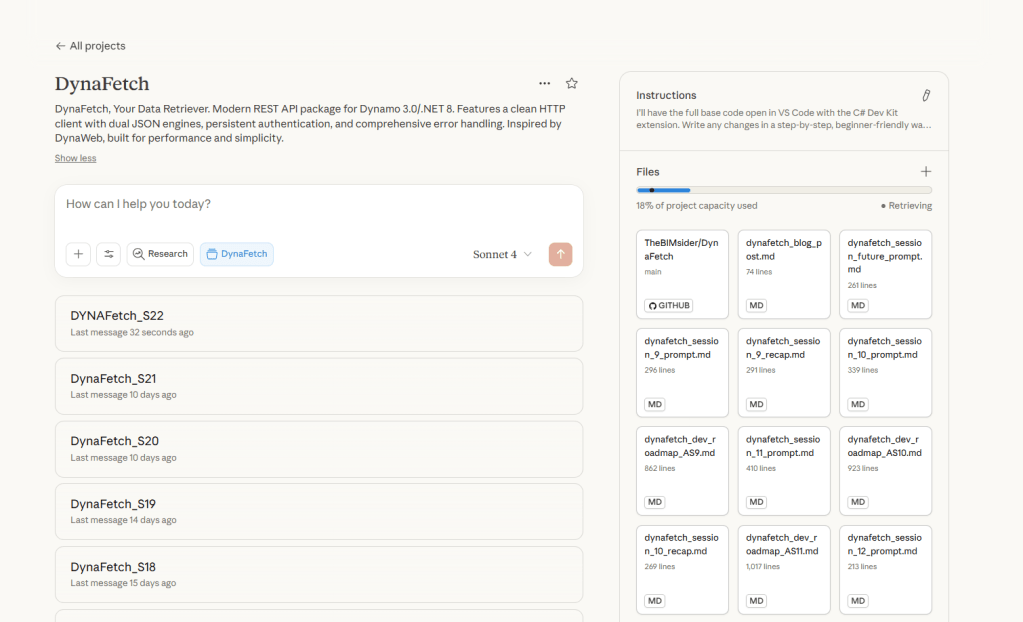
- Claude projects. Using Claude’s Project feature and Knowledge Base let me get more out of our AI jam sessions. Context was cached, and the Knowledge Base is searchable via RAG, saving computation time.
- Documentation, because that’s the part that gets forgotten – not with AI 😜
AI wasn’t a magic button, but it acted like a hyperactive coding partner. I still had to test, refine, and reject plenty of its “confidently wrong” answers, but the speed boost let me try more ideas and workflows. The downside? It’s easy to fall down an AI rabbit hole chasing fixes that never appear. Pro tip: always keep a backup of your last working version, you will need it.
Under the Hood
For those who like to peek inside the black box:
- Written in C# for .NET 8 for Dynamo 3.0+, using Zero Touch integration to expose methods as Dynamo nodes
- Uses modern JSON engines (System.Text.Json with Newtonsoft.Json fallback) with custom utilities for Dynamo-friendly outputs
- Designed to play nicely with other packages so you don’t end up locked into a single ecosystem
- Tested against real-world APIs like Autodesk Construction Cloud, BIM 360, Newforma Konekt, and various public APIs to keep development interesting

Where to Find DynaFetch
- GitHub Repo: DynaFetch on GitHub — full source, docs, and issue tracking
- Landing Page: DynaFetch Landing Page — quick start, docs, and examples
- Dynamo Package Manager: Search for DynaFetch directly in Dynamo
What’s Next?
DynaFetch is open-source. Its future grows with every experiment, test, and piece of feedback from the community. I can’t wait to see what new capabilities emerge.
Try it out and let me know what you think. Bug reports, feature ideas, or contributions are all welcome. Open an issue, submit a PR, or check out the contribution guide to get started.
Fun fact, DynaFetch even got some action during the Autodesk University 2025 Dynamo Hackathon in Nashville last week. How cool is that!

Final Thoughts
Building DynaFetch was a mix of Dynamo know-how, curiosity, and a willingness to let AI ride shotgun. Inspired by DynaWeb, it’s a tool that gives you access to web data and APIs outside of Dynamo. Pair it with Dynamo Sandbox, and you can do so much more than just automate Revit workflows.
It’s designed to save you time hunting for data and maybe even inspire you to let AI play in your own workflows. So go ahead, fetch some data, let AI chase a few digital sticks, and have a little fun while you’re at it.
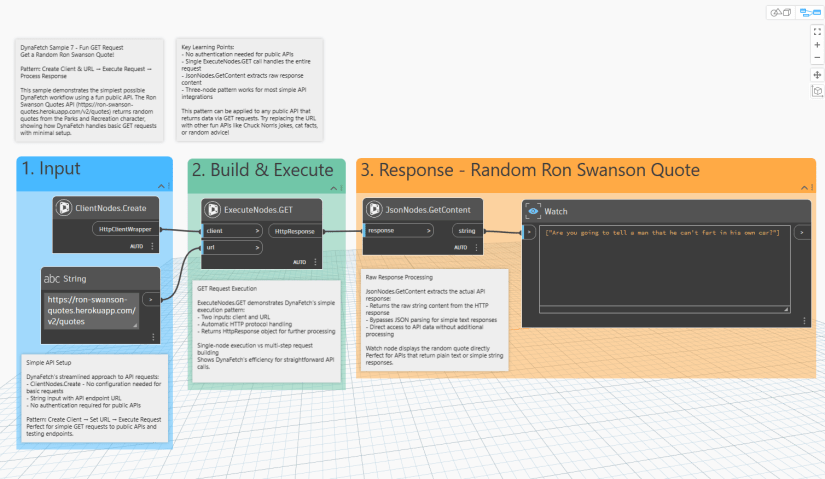
…And now, over to you, Ron.
At the time of this post, version 1.0.2 is current, and you can find it on the Dynamo Package Manager or GitHub.
A Note from the Co-Pilot
Just like DynaFetch, this blog post had a little help from a “ghost writer.” AI and I teamed up to chase ideas, fetch words, and make sure nothing got lost in translation. Full disclosure: I gave the commands, AI did some tricks, and together we made this post happen 🤖📑🐕
Until next time, keep building, vibe coding, and making those API calls from Dynamo!

All the Links: bio.link/thebimsider

 The BIMsider
2 thoughts on “Here Boy! Meet DynaFetch for Dynamo 3.0”